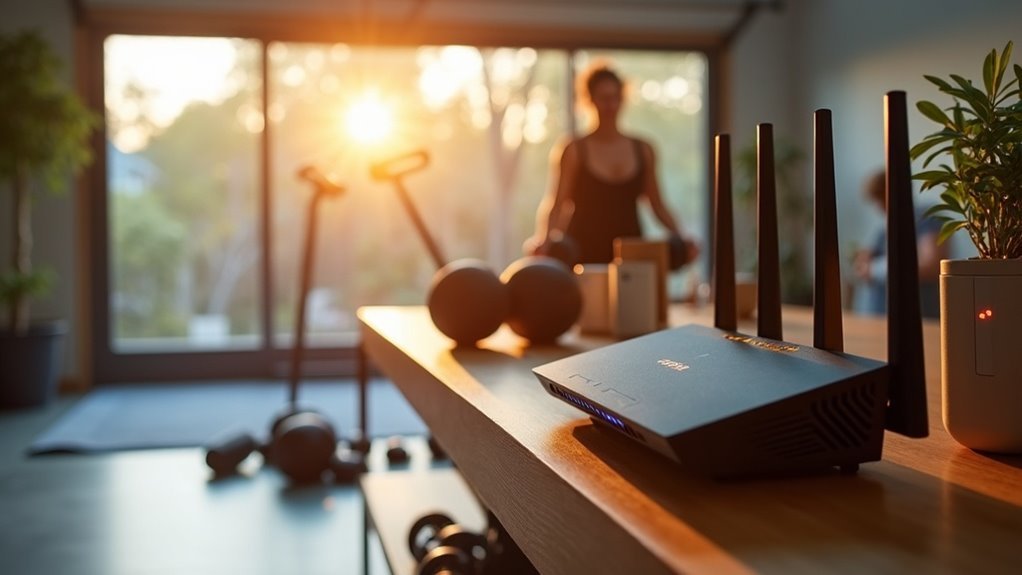
To ensure reliable Wi-Fi coverage in your garage gym, start by evaluating your internet requirements, especially if you plan to stream workouts or use fitness apps. Consider enhancing your signal with Wi-Fi extenders or a mesh network for optimal coverage throughout the space. If feasible, installing a wired Ethernet connection will provide the most stable internet connection for your devices. Furthermore, optimize your Wi-Fi setup by strategically positioning your router and equipment, and be proactive in troubleshooting any connectivity issues that may arise. Staying ahead of potential problems can lead to improved performance, allowing you to focus on achieving your fitness goals in the comfort of your home gym.
Key Takeaways
- Assess the distance from your router to your garage gym to determine if installing an Ethernet cable is necessary for a more reliable connection.
- Consider using Wi-Fi range extenders or mesh systems to eliminate dead zones, ensuring you have consistent internet coverage throughout your gym space for streaming workouts and tracking fitness metrics.
- Place extenders or mesh nodes strategically, ideally halfway between your router and the garage gym, to maximize signal strength and minimize interruptions during your exercise sessions.
- Regularly check your connectivity using speed test apps, and adjust the positioning of your equipment to overcome any physical obstacles that may be hindering performance.
- Keep abreast of new technologies like Wi-Fi 6 or 7 to enhance your garage gym’s connectivity as home fitness technology continues to advance.
Assess Your Garage’s Internet Needs
Assess Your Garage’s Internet Needs for Your Home Gym
How far is your garage from your home’s wireless router? A distance of 150 meters can significantly weaken your Wi-Fi signal strength and disrupt your overall internet connection.
To optimize your home gym experience, evaluate your garage’s internet needs by considering activities such as streaming workout videos, following online fitness classes, or syncing your smart fitness equipment, all of which require a reliable connection.
Use a speed test app to assess your current Wi-Fi signal strength; weak signals can hinder your workout sessions.
Take into account any obstacles, like walls or trees, that may block your connectivity. If your workout demands a more stable connection, consider installing an Ethernet port for reliable performance, ensuring you can focus on your fitness goals without interruption.
Extend Your Wi-Fi Signal
To effectively extend your Wi-Fi signal in your home gym, consider utilizing a Wi-Fi range extender or a mesh system, particularly if your workout space is situated far from your main router.
A range extender captures and rebroadcasts your existing signal, ensuring that you stay connected while streaming workout videos or music.
On the other hand, a mesh system provides consistent coverage with multiple nodes strategically placed throughout your home, keeping your fitness sessions uninterrupted.
Additionally, outdoor access points can enhance connectivity even further, which is especially beneficial if you enjoy outdoor workouts or activities that require a stable, high-bandwidth connection.
Wi-Fi Range Extenders
When you’re setting up a home gym, having strong Wi-Fi coverage is crucial for seamless workouts and streaming your favorite fitness content.
Wi-Fi range extenders can help eliminate dead zones and enhance your internet access. Here’s how to effectively use them:
- Placement: Position the extender midway between your router and your home gym space for optimal coverage.
- Configuration: Connect the extender to your home Wi-Fi network during setup for easy access.
- Dual-Band Support: Choose extenders with dual-band capabilities to boost performance and reduce interference.
- Signal Testing: Utilize a mobile app to check the signal strength after installation to ensure reliable connectivity.
Additionally, regularly updating the firmware can further enhance performance, helping you stay connected during your workouts.
Mesh Systems Benefits
While standard Wi-Fi extenders can help improve coverage in your home gym, mesh systems provide a more powerful solution for extending your signal, especially in challenging spaces like a garage gym.
Mesh Wi-Fi systems consist of multiple nodes that work together seamlessly, eliminating dead zones and ensuring a strong, reliable signal throughout your workout area. This guarantees uninterrupted connectivity for streaming workout videos or managing your smart fitness devices.
Installation is straightforward—simply connect one node to your Internet Provider’s router and position additional nodes where you need them most.
Plus, mesh systems can handle higher bandwidth demands, allowing multiple devices to connect simultaneously without any drop in performance.
Many systems also feature mobile app management, giving you peak control over your network, so you can focus on your fitness goals without any connectivity issues.
Outdoor Access Points
If you’re looking to boost your Wi-Fi signal for your home gym or outdoor workout space, outdoor access points are an excellent solution designed to endure tough conditions.
Here are four key benefits:
- Extended Range: Offers coverage up to 300 meters from your primary router, ensuring you stay connected while you exercise.
- Dual-Band Support: Works on both 2.4 GHz for long-range connectivity and 5 GHz for fast streaming, perfect for workout videos and fitness apps.
- Stable Connection: Connects via Ethernet, reducing signal loss so you can focus on your fitness goals without interruptions.
- Seamless Integration: Compatible with existing mesh systems to enhance performance, making it easier to access online workouts and health resources.
With these features, outdoor access points deliver dependable internet connectivity, allowing you to stay motivated and engaged in your home fitness journey.
Use a Wired Ethernet Connection
A wired Ethernet connection can significantly enhance your home gym’s internet experience, providing a reliable and high-speed link for all your devices.
By running a weatherproof Ethernet cable, such as Cat 6 or Cat 7, from your home router to your garage gym, you ensure a stable connection that’s perfect for streaming workout sessions and downloading fitness apps.
Protect the cable by using conduit or installing it underground to shield it from the elements and potential damage.
Connecting the Ethernet to a router or switch within your garage gym allows for wider coverage, enabling multiple device connections while delivering faster speeds and lower latency—essential for streaming high-quality fitness videos or engaging in live online workouts.
Use a Cellular Hotspot
When traditional internet options for your home gym fall short, using a cellular hotspot can be a smart solution. Here are four essential considerations to ensure you stay connected while working out:
- Device Choice: Decide whether to use your mobile device or invest in a dedicated hotspot to support multiple connections for your fitness needs.
- Data Limits: Always check your mobile plan to prevent unexpected overage charges, particularly if you plan to stream workout videos or fitness classes.
- Signal Strength: Before committing to a cellular hotspot, test the signal strength in your gym space using a speed test app to ensure a stable connection.
- Speed Variability: Keep in mind that internet speeds can vary due to network congestion, which may impact activities such as streaming high-definition workout sessions.
Optimize Your Wi-Fi Setup
Enhancing your Wi-Fi setup in your home gym, whether it’s a garage, basement, or dedicated room, is essential for maintaining a seamless connection during workouts.
If your workout area is distanced from the main router, consider using a powerline adapter to utilize your existing electrical wiring for a stable connection.
Alternatively, investing in a mesh Wi-Fi system with multiple nodes can significantly improve coverage; place one node in your gym for optimal performance.
For the most reliable connection, run a weatherproof Ethernet cable from your home router to your gym area.
Another effective solution is to position a Wi-Fi range extender halfway to amplify the signal.
Lastly, ensure your router and devices are regularly updated to maximize performance and security while you focus on your fitness goals.
Troubleshoot Connectivity Issues
Even with your efforts to optimize your Wi-Fi setup for your garage gym, connectivity issues may still occur. Here’s how to troubleshoot effectively:
- Restart all devices, including your router and extenders, to eliminate temporary glitches that can disrupt your connection.
- Check for firmware updates on your router and extenders, as using outdated software can negatively affect performance and connectivity.
- Look for physical obstructions such as walls or appliances that may be blocking the signal, and consider repositioning your equipment for better signal strength.
- Test connectivity with multiple devices, as some may have weaker Wi-Fi capabilities than others, affecting your online workouts.
If you continue to experience issues, utilizing a Wi-Fi analyzer app can help you assess signal strength and identify interference, allowing you to make the necessary adjustments for a seamless workout experience.
Explore Future Connectivity Options
As you evaluate your connectivity needs for a home gym, it’s essential to consider a wired Ethernet connection to ensure stable, high-speed internet.
Exploring advanced solutions like mesh Wi-Fi systems and powerline adapters can provide seamless coverage, which is crucial for a wide range of fitness devices and streaming workout classes.
Assess Connectivity Needs
When planning your garage gym’s connectivity, it’s essential to evaluate not only your current bandwidth needs but also potential future demands to support your fitness journey.
Consider these factors:
- Current Activities: Identify activities such as streaming workout videos or using smart fitness equipment that require a stable internet connection to enhance your training experience.
- Device Expansion: Think about future needs for additional devices, like smart speakers for music or monitors to track your progress.
- Internet Speed: Look into upgrading to higher-speed plans to accommodate anticipated 4K streaming and ensure multiple devices can connect seamlessly during your workouts.
- Wired Options: Explore the option of installing Ethernet cables for maximum stability and to future-proof your setup as your home gym evolves.
Regularly monitor your connectivity to adapt to emerging needs as technology and your fitness goals progress.
Explore Advanced Solutions
To elevate your garage gym’s connectivity and enhance your workout experience, exploring advanced solutions is crucial, especially if you face challenges with signal strength or reliability. Consider upgrading to a robust mesh Wi-Fi system, installing an outdoor access point to ensure coverage in all areas, or running a dedicated Ethernet cable for a fast and stable connection. Advanced powerline adapters equipped with Wi-Fi capabilities can effectively bridge connectivity gaps, while keeping an eye on emerging Wi-Fi 6 or 7 technologies will ensure your setup remains future-proof.
| Solution | Description |
|---|---|
| Mesh Wi-Fi System | Multiple nodes for extended coverage |
| Outdoor Access Point | Durable option for harsh conditions |
| Ethernet Cable | Stable, high-speed connection |
| Powerline Adapter | Bridges gaps with built-in Wi-Fi |
| Emerging Wi-Fi Technologies | Wi-Fi 6/7 for improved speed and efficiency |
Plan for Expansion
Planning for future connectivity options in your home gym is crucial, especially as you look to enhance your workout experience with more devices or smart technology.
To effectively prepare for expansion, consider these key strategies tailored for fitness enthusiasts:
- Opt for equipment that supports higher data transfer speeds, such as WiFi 6 routers or Cat 6 Ethernet cables, ensuring seamless connectivity for all your devices.
- Set up dedicated networks to prioritize high-bandwidth activities, like streaming workout classes or managing smart fitness devices.
- Explore powerline adapters or mesh WiFi systems to expand your network coverage and connect additional devices throughout your gym space.
- Keep future upgrades in mind, including outdoor workout areas or advanced fitness technology, when designing your connectivity infrastructure.